Security & trust
Security built for board papers and unpublished results.
Diranta is built for the most sensitive information an organisation holds. Administrators and company secretaries control who can see what, from which device and network, and every action is recorded in a tamper-evident audit log.
How it works
Layered controls, configured by you.
Security settings live with your administrators and company secretary, not in a support ticket queue.
Access control
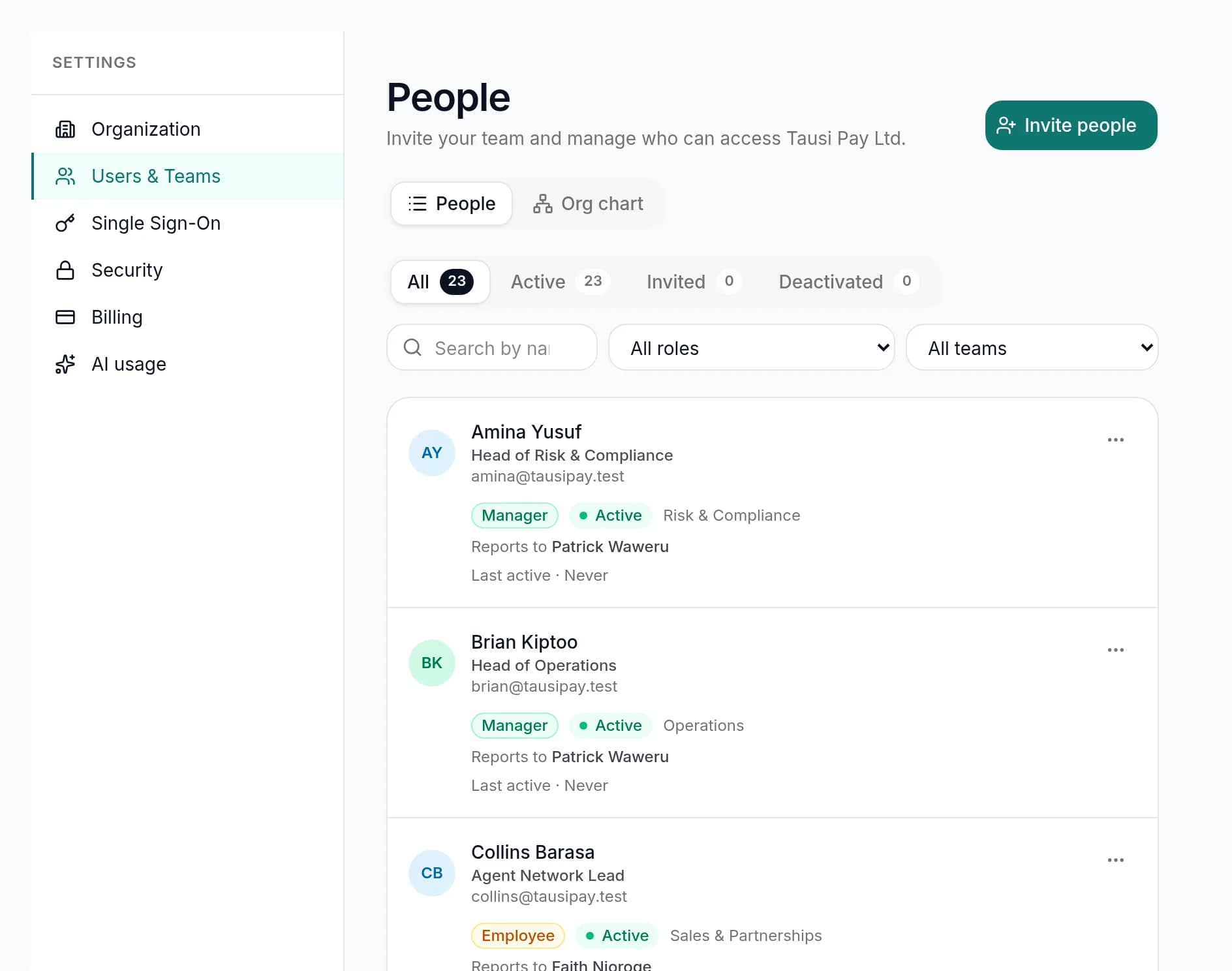
Role-based access for every kind of user.
Each user has a role: administrator, strategy lead, manager, contributor or viewer, with board and company-secretary access for directors and the secretariat. Managers and contributors are assigned to a department.
- Permissions enforced by the server on every request
- Committee material restricted to committee members
- The AI only reads what the signed-in user can already open
Sign-in
Strong authentication, your way.
Use authenticator-app two-factor authentication with recovery codes, or connect your identity provider with OIDC single sign-on for Google, Microsoft, Okta or any OIDC-compliant provider.
- Require 2FA for everyone, with a grace period to enrol
- Enforce SSO for your email domains, with optional auto-provisioning
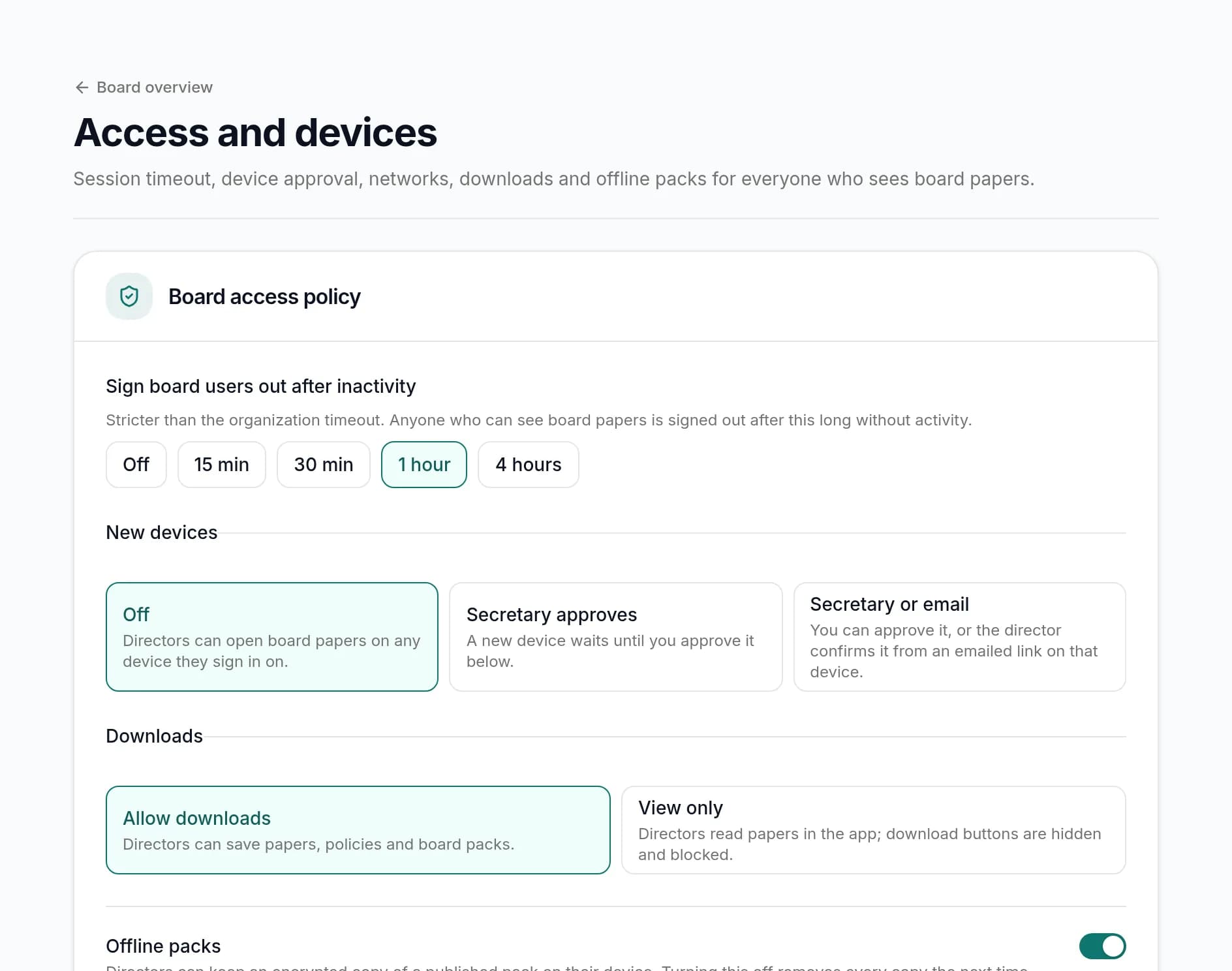
- Password rules, login lockout, session timeout and session limits
Audit
An audit log you can verify.
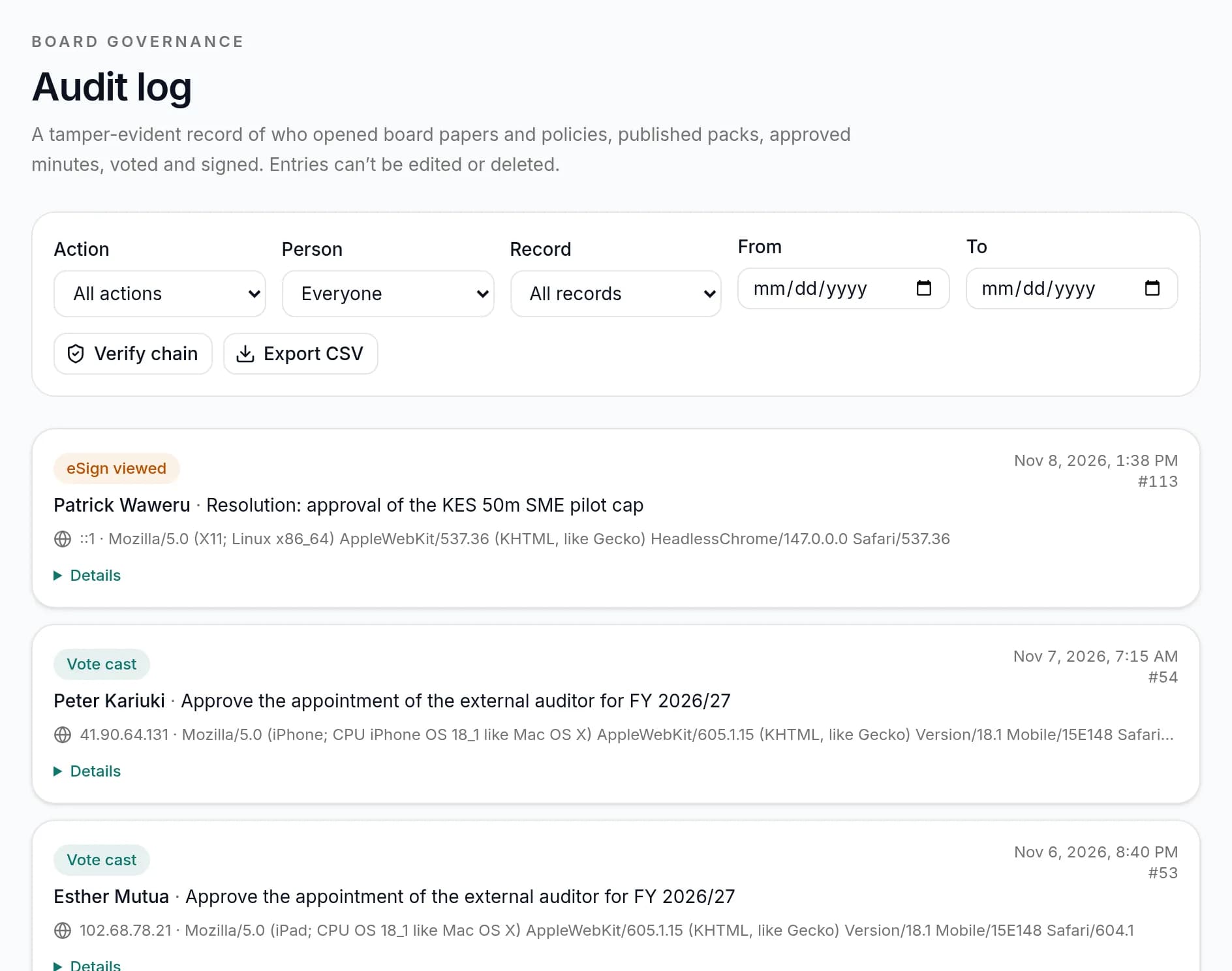
Diranta records significant actions in an append-only audit log. Each entry is chained to the one before it by a cryptographic hash, so the log can be verified end to end and any tampering is detectable.
- Who did what, to which record and when
- Chain verification from the first entry to the latest
- A dedicated board audit log for governance activity
Capabilities
Controls for the board portal and beyond.
Role-based access
Two-factor authentication
OIDC single sign-on
Device approval
Remote wipe
IP allowlists
View-only and watermarks
Idle timeouts
Hash-chained audit log
Private AI
Hosting and residency
Session controls
FAQ
Frequently asked questions
Can't find what you need? Our team is happy to help.
Is Diranta certified to ISO/IEC 27001 or SOC 2?
Not yet. Diranta does not currently hold third-party security certifications. Independent certification is on our roadmap, and we will publish it here when it is achieved. In the meantime we are happy to answer security questionnaires.
Which single sign-on providers do you support?
Diranta supports OIDC single sign-on, with presets for Google, Microsoft and Okta and support for any OIDC-compliant identity provider.
Can we stop directors downloading board papers?
Yes. Set board downloads to view-only so papers are read in the portal. PDF papers can also carry a confidential or draft watermark.
What does remote wipe do?
Remote wipe ends the user's active sessions, revokes their approved devices and withdraws any offline board packs, and the action is recorded in the audit log.
Does the AI see our board content?
Only when someone uses an AI feature, such as asking a question or drafting minutes; nothing is sent to the AI provider otherwise, and the AI only reads records that person can already open. Diranta's AI runs on enterprise AI providers under agreements that don't train on your data; answers come only from your own records, with citations; calculations are always done by the system.
Where is our data hosted?
Hosting arrangements depend on your plan. Enterprise customers can discuss specific hosting and data-residency requirements with our team before signing.
Explore the rest of the platform
Have a security questionnaire?
Talk to our team about your security, hosting and data-residency requirements. We will walk you through the controls in detail.